
Train, watch and communicate in the format you need
Knightide supports multiple ways to perceive, navigate and participate. Preferences can be saved, changed per session and discussed with a Human Trainer.

More than one way through every route
Availability can vary by content and device; event and session listings identify supported features before purchase or start.
Captions
Live and replay captions, adjustable text size and readable placement.
Screen-reader support
Semantic headings, labels, landmarks, status messages and logical focus order.
Contrast + type
Near-black surfaces, strong contrast, scalable type and non-color status cues.
Reduced motion
Reduce transitions, parallax, animation intensity and immersive movement effects.
Keyboard control
Operate core web routes, media and forms without a pointer where supported.
Audio controls
Independent volume, text alternatives and transcript support for key content.
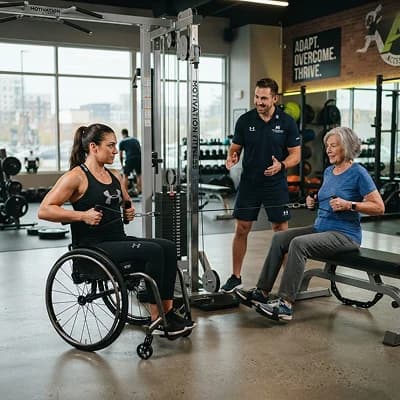
A different format is still real training
Where appropriate, choose seated, supported, low-impact, reduced-range or slower-pace movements. Review the intended equipment, space and support before starting.
- Preview alternatives before the movement begins
- Save seated or low-impact preferences to your profile
- Filter Human Trainers by accessible session format
Tune the intensity around the training
- Reduce flashing, motion and visual density
- Mute sound effects while keeping spoken cues
- Use captions, transcripts or text-only instructions
- Switch XR to screen or seated mode where offered
Understand the instruction and the limit
Interface and caption languages vary by content. Human Trainer profiles list languages. Machine-generated translation, where used, is labeled and may contain errors.
Set once, change anytime
Accessibility preferences are available from onboarding and the signed-in Accessibility utility. A session can override them temporarily without changing the account default.
Tell us where access breaks down
Request help before a session or event, report an accessibility barrier, or ask about a format not yet listed. Include the route, device and preferred contact method; avoid unnecessary health information.
We will help you find a workable route
Contact accessibility@knightide.com or open signed-in Accessibility for preferences and saved assistance requests.