
Train anywhere. Download once.
Move between desktop, mobile, tablet and supported VR/AR/XR devices while keeping your chosen progress, privacy controls and access preferences connected.
Synchronized progress is configurable · Offline availability varies by content
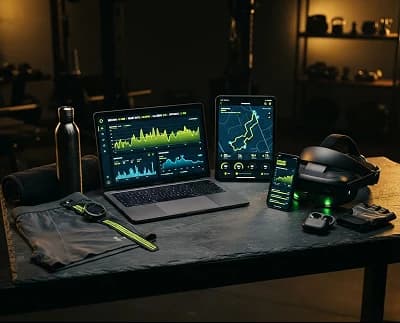
One membership, the screens you choose
Compatibility depends on operating-system version, available storage and session features. Review requirements before downloading.
Desktop
Best for full-screen sessions, downloads and device management.
DownloadVR / AR / XR
Immersive sessions with optional motion/spatial sensor guidance.
View devicesContinue on mobile or tablet
Scan with your device camera to open a protected handoff. Sign in, confirm the device and choose whether current plan progress should synchronize.
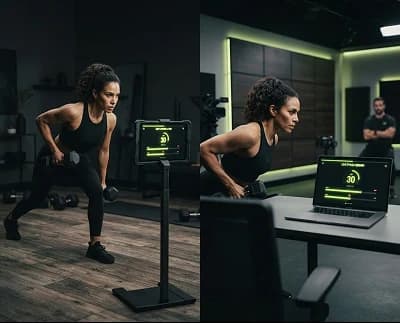
Pick up where you left off
Choose whether completed sessions, plan position, Human Trainer notes, event access and accessibility preferences synchronize across signed-in devices.
- Review every connected device from Account
- Remove a device or end its protected sessions
- Keep downloaded content local where supported
Check capability before the session
Knightide detects available features only after permission. Missing sensors never imply a broken device; a non-sensor alternative is offered where possible.
This device
- CameraAvailable · Permission not granted
- MicrophoneAvailable · Permission not granted
- Motion sensorsAvailable · Device processing varies
- Spatial mappingNot available · Screen alternative offered
Motion/spatial sensor guidance
XR guidance can use headset and controller motion, room boundaries and device-provided spatial mapping. It is assistive, not perfectly accurate, and cannot guarantee collision avoidance.
- Clear at least the stated floor and overhead area
- Recalibrate after moving furniture or the device
- Pause immediately after tracking loss or drift
Permissions belong to the device and to you
Review Knightide settings and operating-system controls. Camera, microphone and motion/spatial sensor access can be changed without deleting your account.
Camera
Off until a compatible feature requests explicit permission. No hidden recording or biometric identification.
Microphone
Used for live sessions or voice controls only when you enable the relevant feature.
Motion + spatial
Device guidance varies and remains revocable from the session or system settings.
Storage
See downloads, cached content and account data; clear local files independently.
Recover without losing control
Start with the least disruptive step. Session progress is saved where possible, but offline or interrupted sensor data may not synchronize immediately.
Open device help- 01Check connection, storage and operating-system version
- 02Restart the Knightide app, not the whole session if avoidable
- 03Re-run camera framing or XR boundary calibration
- 04Switch to screen, text, audio or non-sensor mode
- 05Contact Support with device and app version — never your password or full key
Download Knightide and choose what synchronizes
Subscribe, verify your account and continue to the signed-in Devices and Downloads utilities for protected setup.